AI Product Operations
One Workspace, Nine AI Agents, and Me as the Decision-Maker
How I built a Product Operations Workspace where nine specialized AI agents compile and draft across a four-product suite while every consequential decision stays with me.
I'm a product owner, scrum lead, QA owner, competitive analyst and executive reporter, and I do all five jobs at once for a four-product AI suite. The information I need sits in the issue tracker, the CRM, meeting transcripts, code repositories, cloud drives, pricing sheets and demo decks. Pulling it together by hand for every standup, customer call and leadership update doesn't scale.
I built a Product Operations Workspace. AI does the compiling and drafting. I stay the expert who decides.
Nine agents, each with a job
The workspace has nine AI teammates, each with a name and a role:
- Silas, product owner: roadmap, epics and requirements
- Jim, scrum: standups, planning, QA and releases
- Domonic, competitive: threat matrix and analyses
- Athena, analytics: customer context and field notes
- Lena, marketing: sales enablement
- Jordan, pricing: quotes from the pricing catalog
- Lex, executive: leadership updates and OKRs
- Edna, UI: demo slides and interface design
- Rick, engineering: diagnostics and technical reports on the workspace itself
Every responsibility has a home and an agent. For example, competitive intelligence lives in the threat matrix, and Domonic handles it.
One source of truth
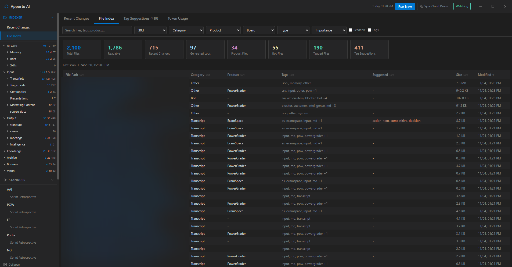
The issue tracker, checked every 15 minutes while the workspace is open, the CRM, imported meeting transcripts, code repositories, cloud drives, the pricing catalog and my daily field notes all feed one shared workspace. An indexer tracks about 2,400 files. Every agent works from the same information.
AI drafts, I decide
Every workflow follows the same loop:
- Capture: transcripts, tracker issues, CRM records and notes come in.
- Draft: the right agent writes the standup, analysis, proposal or update.
- Review: I check it against what I know and the sources it cites.
- Correct: I fix facts, tone and scope.
- Approve: nothing goes to the issue tracker or a customer record until I say so.
- Learn: corrections from standup chats and every saved output go into the agents' learning logs, so the next draft starts closer.
The learning logs are plain files, so I can audit and edit them.
Human checkpoints
- Proposed edits to standups, customer analyses and competitive analyses stay proposals until I click Apply.
- Customer record changes are staged until I save them.
- Tracker edits and new stories go out only when I push them. I open and close sprints myself, and nothing in the code can do it for me.
- OKR signals found in standups wait for my approval.
- File tag suggestions wait for my approval.
- Skill suggestions wait for my approval.
- The CRM is read-only for the agents.
Not everything waits for me. Inside the workspace, some agents update working files directly, such as learning logs, OKR progress, competitor matrix rows and the pricing catalog. Those are files I can read and correct. The line I hold is that anything touching the issue tracker or a customer record needs my click.
Guardrails that don't depend on the AI behaving
My rule is that when an AI mistake matters, I fix it in the code so it can't happen again. In practice:
- Each agent gets a fixed tool list for its role. The competitive agent can edit competitor rows but has no pricing tools.
- No agent has a tool that writes to the issue tracker or the CRM. Those writes go through buttons I click.
- Product briefs that come back in the wrong structure are rejected before they can be exported.
- A suggested skill has to quote the line that proves it, and code checks that the quote is really in the source.
- Story estimation gives me a tracker query built by code, not written by the model.
- AI calls from the main workflows are logged with their feature, agent, model and token count.
Small automations that add up
- One-click sprint closeout archives standups, writes the retrospective with delivery numbers, condenses the sprint into board intelligence, updates product logs and rolls the app to the next sprint.
- The tracker watcher runs every 15 minutes, and the indexer re-scans for changes on demand and at every sprint close.
- Story estimation surfaces the unestimated stories along with a ready-to-paste tracker query.
- Write-back with approval creates stories under the epic it proposes and pushes comments, each on my click.
- In multi-agent chat, an @mention brings a second agent into the conversation. For example, "@Lena, review Jim's draft."
What it looks like in practice
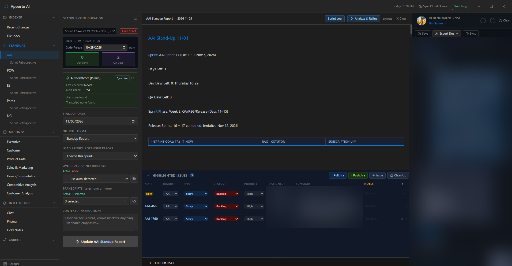
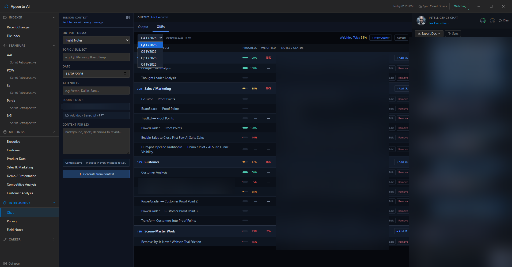
- Standups: Jim writes them from transcripts and tracker data.
- Product data: it maps epics to requirements and flags epics with no requirement.
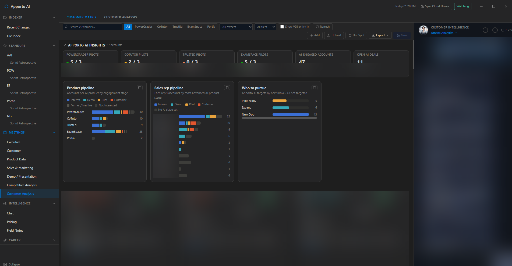
- Competitive matrix: competitors by product, with saved analyses I can reopen.
- Customer matrix: it tracks accounts by stage, owner and recommended next step.
- Pricing: Jordan drafts quotes from the pricing catalog.
- OKRs: progress signals come from real standups and meetings.
- Field notes: raw daily notes become actions, decisions and blockers that I review before saving.
- Token usage: AI spend is visible per workflow.
It tracks my growth, too
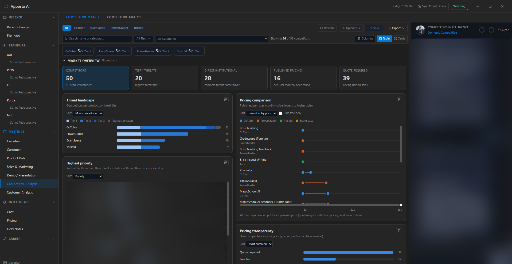
The same evidence that feeds a standup or a sprint plan also says something about the person doing the work. So the workspace keeps my skill tree: about 85 skills in eight categories, from technical systems and AI automation to product delivery, customer relationships and leadership. Skills are arranged by tier and linked by their prerequisites, and a radar view shows how many years I've practiced each one.
When a standup, meeting, sprint plan or chat shows me doing something concrete, such as writing a planning spec, leading a customer call or shipping a release, the agent can suggest a skill and quote the line that proves it. The agent is told to count only my own work, not what others did in the meeting.
Code then does the checking: for standups, meetings and sprint plans the quote has to appear in the source, and a skill I already hold at that tier or higher is dropped. Whatever passes goes into a review queue, and nothing reaches the tree until I approve it. The feature is new, so the queue is still short.
The results so far (November 2026)
- 450+ outputs saved since April 2026
- About 2,400 files in one searchable index
- 9 agents, 36 tools and 32 skill files
- About 66,000 lines of code, plus about 400 automated tests
- 1,600+ logged AI calls since June 2026
- One-click export to Word, PowerPoint or PDF
I built it with AI coding assistants, under the same rule as the rest of the workspace: the AI drafts the code, and I decide what ships.
I haven't measured time savings, so I won't claim a number. What I can say is that my outputs are reviewed, searchable and ready for leadership and customers, and nothing reaches the issue tracker or a customer record without my approval.
The way to make AI useful at work is to let it do the compiling and give a human the final say. Then build the guardrails into the code so they don't depend on the AI behaving.